

 中文 (中国)
 Français
 Deutsch
 中文 (台灣)
Official drivers · No subscription
Fix any printer driver in 1 click
Auto-detect and install the correct official driver for any printer or scanner. Windows 11, 10, 8, and 7 — no technical background required.
Sound familiar?

Driver not found?
Windows can't locate a driver after an update or new PC setup — even though the printer worked fine yesterday.

Printer offline after update?
Status shows offline or "cannot connect" even though WiFi and USB are fine. Reinstalling from Settings didn't help.
Scan stopped working?
Print comes back but the scanner disappeared — common on HP OfficeJet, Canon PIXMA, and Epson all-in-one devices.
Can't find my old model?
Manufacturer removed the driver page for your 5-year-old printer. You need a version Windows 11 actually accepts.
Fixed in under a minute
No digging through support pages. No guessing which file to download. Three steps, then you're printing again.
Scan connected devices
Detects your printer or all-in-one over USB or WiFi — HP, Canon, Epson, Brother, and more. Shows the exact model name before anything installs.
Install official driver
Matches and installs the correct OEM driver from manufacturer sources — not third-party repacks. Print and scan modules included for all-in-one devices.
Print test page
Runs a quick print test so you know it worked before you close the app. Scan module verified on supported all-in-one models.
Why switch from Driver Booster?
Same problem, different approach. PrintPro is built only for printers — with official drivers and no subscription.
Trusted by thousands
Official OEM drivers, verified clean downloads, and a risk-free 60-day money-back guarantee.





Pay once. Fix forever.
No subscription, no auto-renewal. Pick the plan that matches how many PCs you need to fix.
Fix the one computer that needs it today.
- 1 PC license
- Official drivers only
- Print + scan restore
- 60-day refund guarantee
Home office or family — up to 5 computers.
- 5 PC licenses
- Official drivers only
- Print + scan restore
- Printer sharing included
- 60-day refund guarantee
Small office — fix every PC in one purchase.
- 10 PC licenses
- Official drivers only
- Print + scan restore
- Priority support
- 60-day refund guarantee
60-day money-back guarantee · no questions asked
Optional at checkout: Keep driver database updated for 1 year — +$9.99
Everything you need to get printing again
Purpose-built for printers and scanners — not a generic driver updater with a printer checkbox.
Auto-detect & install
One-click scan finds connected printers over USB or WiFi. Matches the correct official driver with 99.99% accuracy — no manual searching.
Manual search for old models
Know your model number but the manufacturer removed the page? Search our archive of official drivers — including discontinued HP, Canon, and Epson models.
All-in-one: print + scan
Fixes both print and scan modules in one pass. Installs TWAIN/WIA components so your HP OfficeJet or Canon PIXMA scanner works again after a Windows update.
One-click printer sharing
Share a printer on your home network without wrestling with Windows sharing settings. Other devices connect and print — no IT degree required.
When drivers aren't enough
Sometimes the queue is stuck, the printer says offline, or a conflict blocks printing. PrintPro handles the software side too.
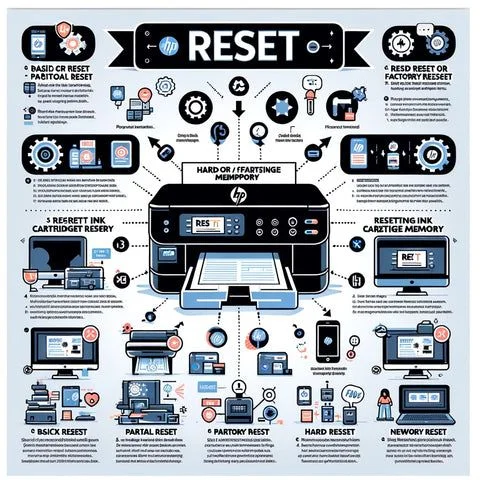
Reset & repair tools
Clear stuck print queues, reset offline status, and resolve software conflicts that keep your printer from responding — without reinstalling Windows.
- Clear print queue when jobs are stuck
- Fix "printer offline" status errors
- Resolve driver conflicts after failed installs

Discontinued models supported
Manufacturers stop hosting drivers for older printers — especially after Windows 11. Our archive keeps official versions that still work on current systems.
- HP LaserJet, DeskJet, OfficeJet legacy models
- Canon PIXMA and imageCLASS discontinued lines
- Epson EcoTank and WorkForce older series
Works with your printer — and your Windows
Every major brand, every common Windows version. If you bought it in the last 15 years, we probably have the driver.












Fix your printer today — yours forever
Official drivers. No subscription. No bundled software. Download, scan, and print a test page in under a minute.
Download & Fix Now